Containerization_and_DevOpsLab
Lab Report: Lab-3 Part-2
Dockerfile Based Flask Web App Containerization
Date: 07/02/2026
Author: Divyanshu Gaur
SAP ID: 500121752
1. Objective
The objective of this lab is to:
- Create a Flask web application
- Run the Flask app locally without Docker
- Define dependencies using requirements.txt
- Create a Dockerfile for the Flask app
- Pull Python base image
- Run Flask inside Docker container
- Verify container deployment on localhost
- Stop and remove containers
2. Procedure and Results
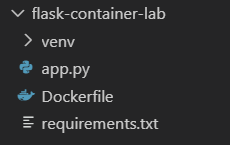
Step 1: Create Flask Project Structure
A Flask project directory was created with application file, requirements file, and Dockerfile.
Execution Screenshot:
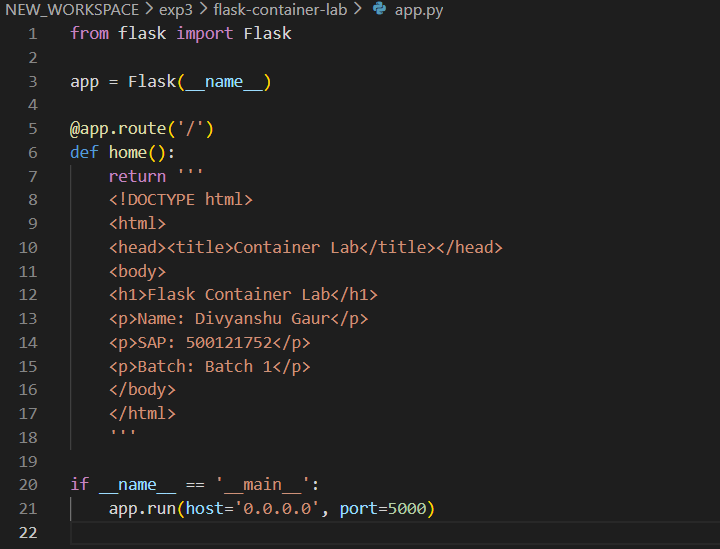
Step 2: Write Flask Application Code
The Flask application was written with a root route serving an HTML page containing lab details.
Execution Screenshot:
Step 3: Create Requirements File
The dependency file was created specifying Flask version.
Execution Screenshot:

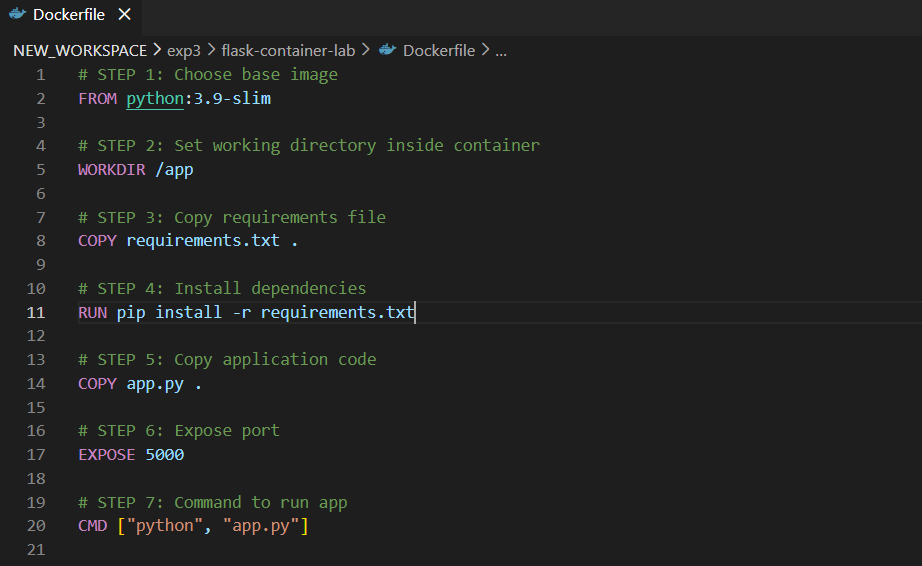
Step 4: Create Dockerfile
A Dockerfile was created using Python 3.9 slim image with working directory, copy steps, dependency installation, port exposure, and run command.
Execution Screenshot:
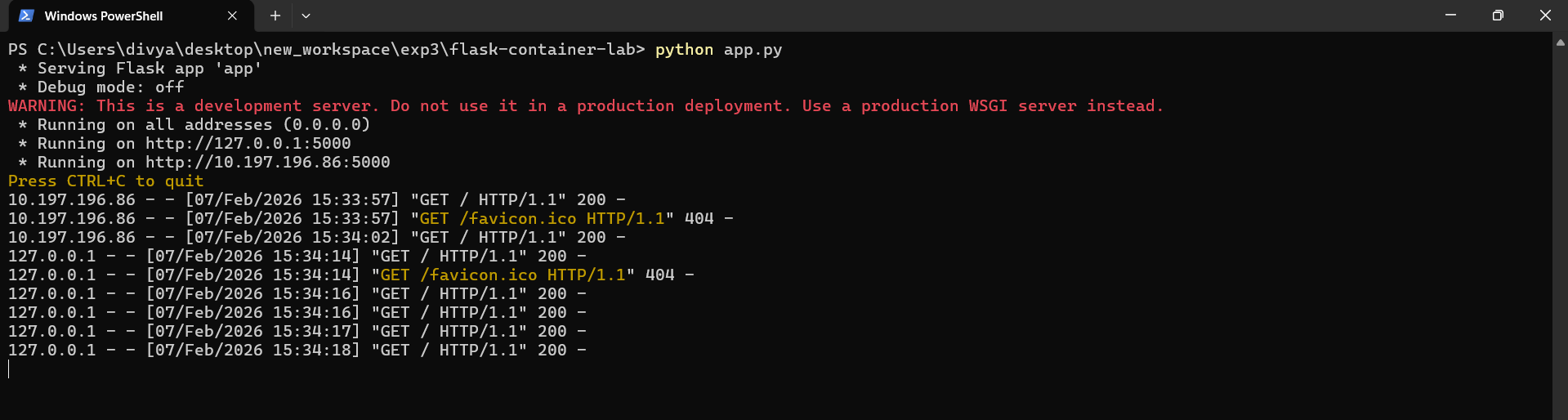
Step 5: Run Flask App Without Docker
The Flask app was executed directly on the host system.
Command:
python app.py
Execution Screenshot:
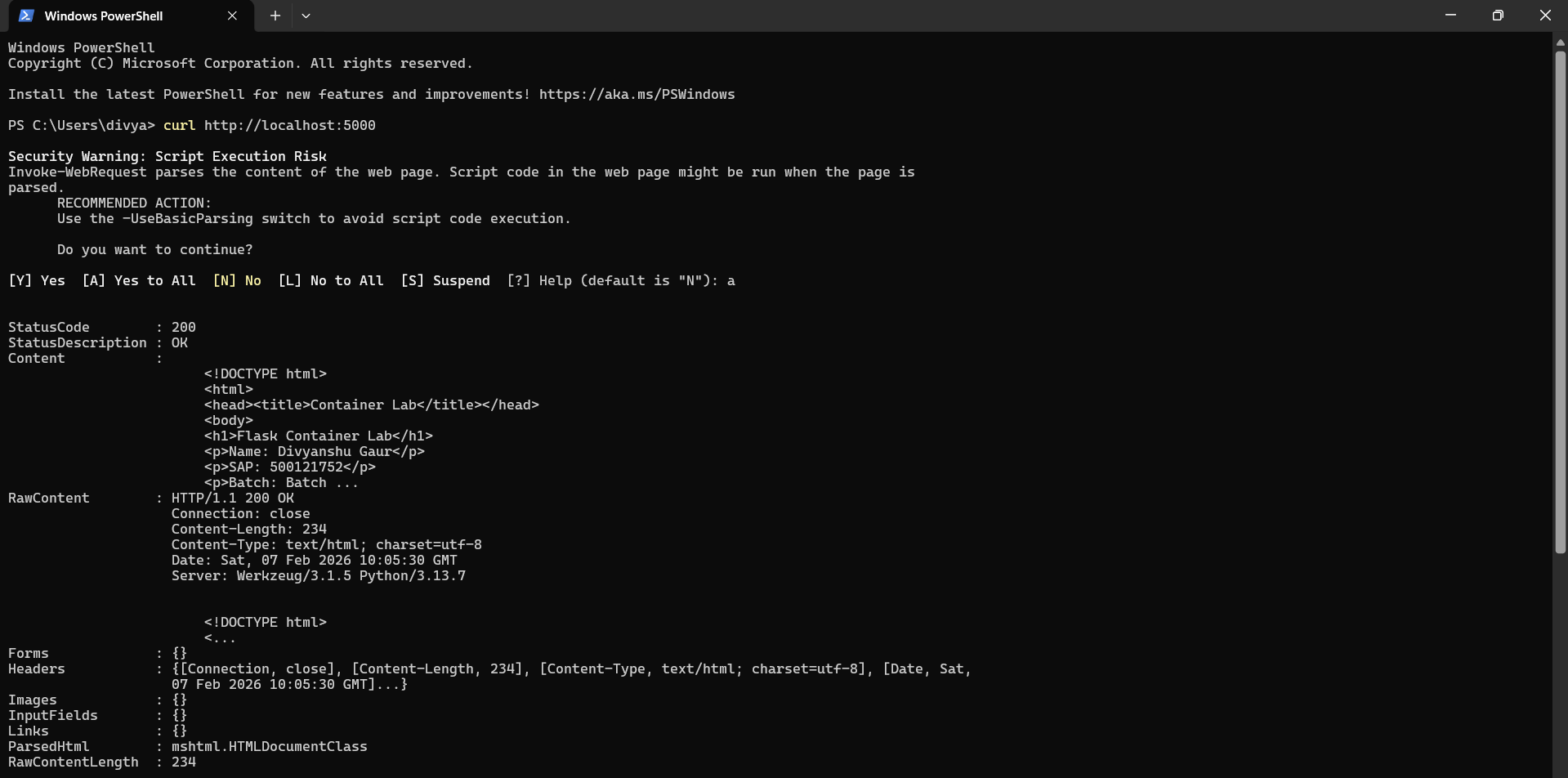
Step 6: Verify Localhost Output (Without Docker)
The application output was verified in the browser and using curl.
Execution Screenshot:
Step 7: Pull Python Base Docker Image
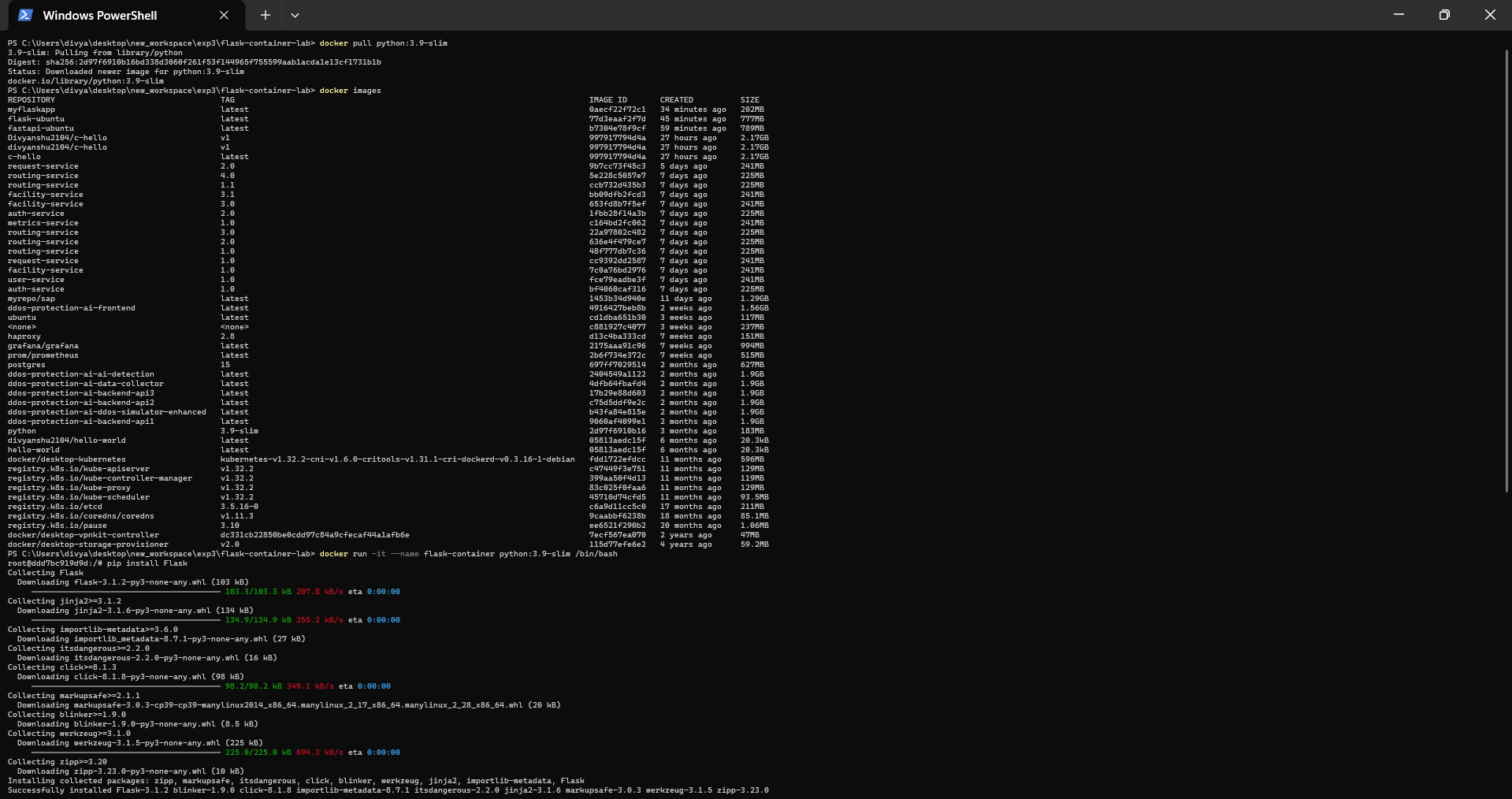
Python slim image was pulled from Docker Hub.
Command:
docker pull python:3.9-slim
Execution Screenshot:
Step 8: Run Interactive Docker Container and Install Flask
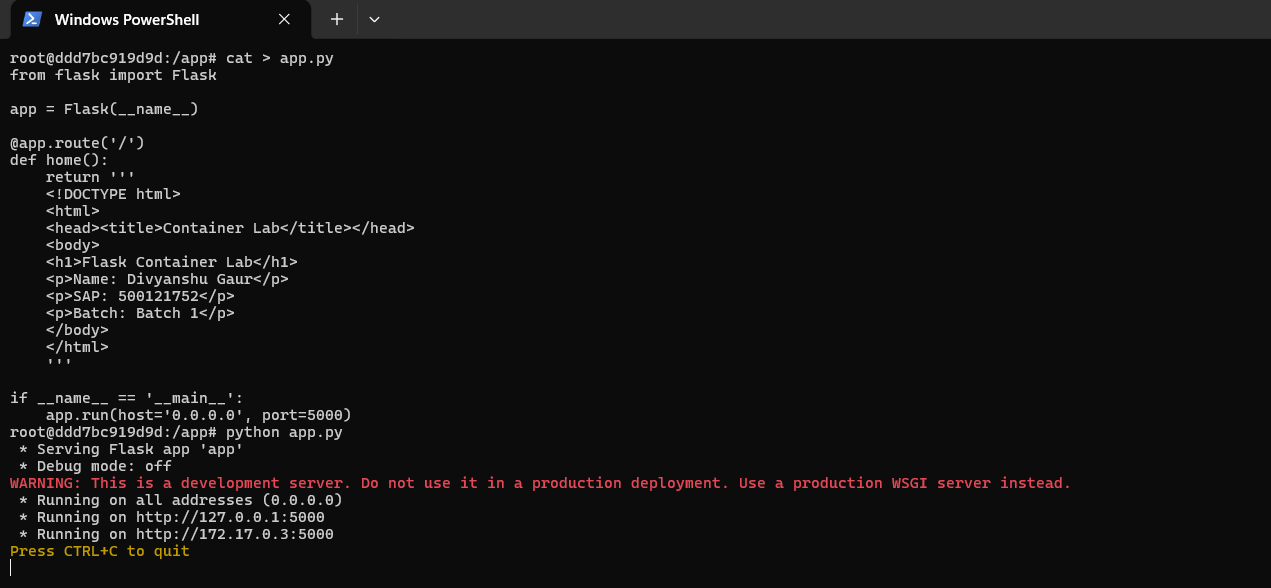
A container was started and Flask was installed inside it. The application was created and executed inside the container.
Command:
docker run -it --name flask-container python:3.9-slim /bin/bash
Execution Screenshot:
Step 9: Verify Running Containers
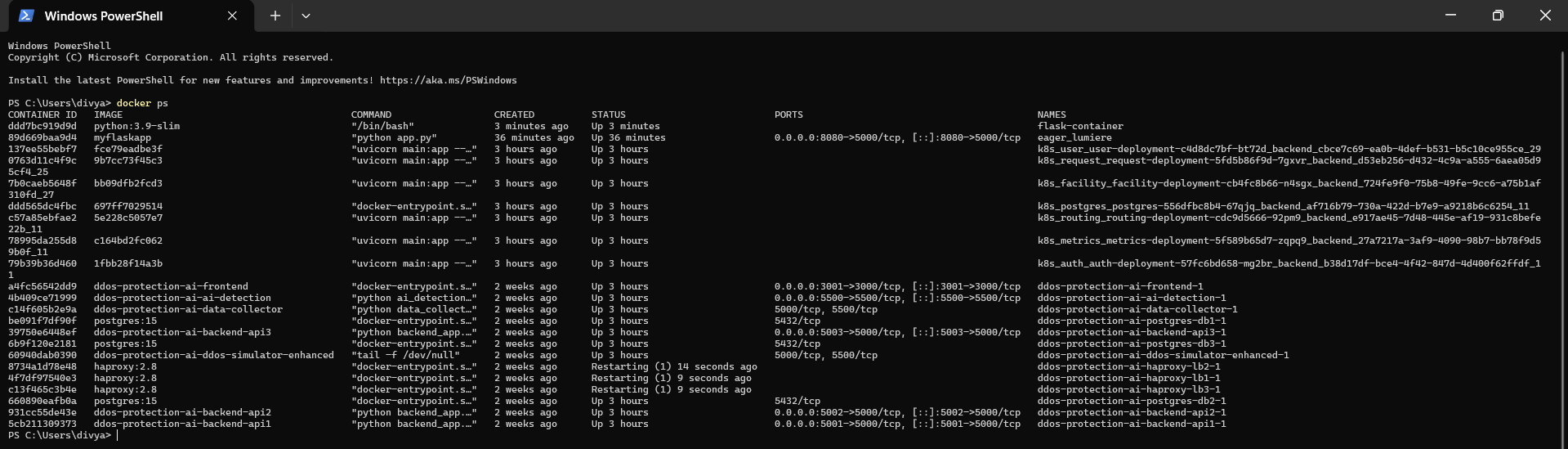
Running containers were checked using docker ps.
Command:
docker ps
Execution Screenshot:
Step 10: Access Flask App from Container
The Flask app running inside the container was accessed through localhost port mapping.
Execution Screenshot:
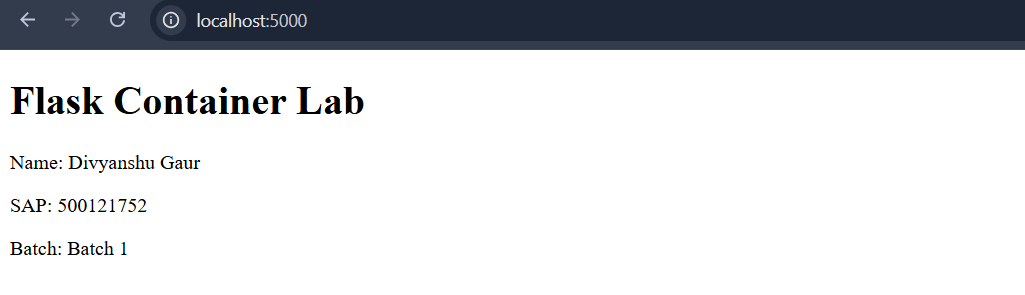
Step 11: Stop Running Container and Remove Container
The running container was stopped and was removed from the system.
Command:
docker stop flask-container
docker rm flask-container
Execution Screenshot:

3. Result and Conclusion
Result
The Flask web application was successfully:
- Developed and executed locally
- Containerized using Docker
- Executed inside a Python Docker container
- Accessed through localhost
- Managed using Docker lifecycle commands
Conclusion
This experiment demonstrated Docker-based containerization of a Flask web application. It validated portability, environment consistency, and simplified deployment using containers.